How to Find Cincopa Account ID
A Cincopa Account ID is a unique identifier assigned to your account on the Cincopa platform. It is required for making authenticated API requests and is used across many workflows, including media uploads, asset updates, and secure token generation.
There are two simple ways to locate your Cincopa Account ID: through the Cincopa dashboard or by using the API.
Method 1: Find Account ID Using the Cincopa UI
Step 1: Log in to your Cincopa account and open the Profile menu.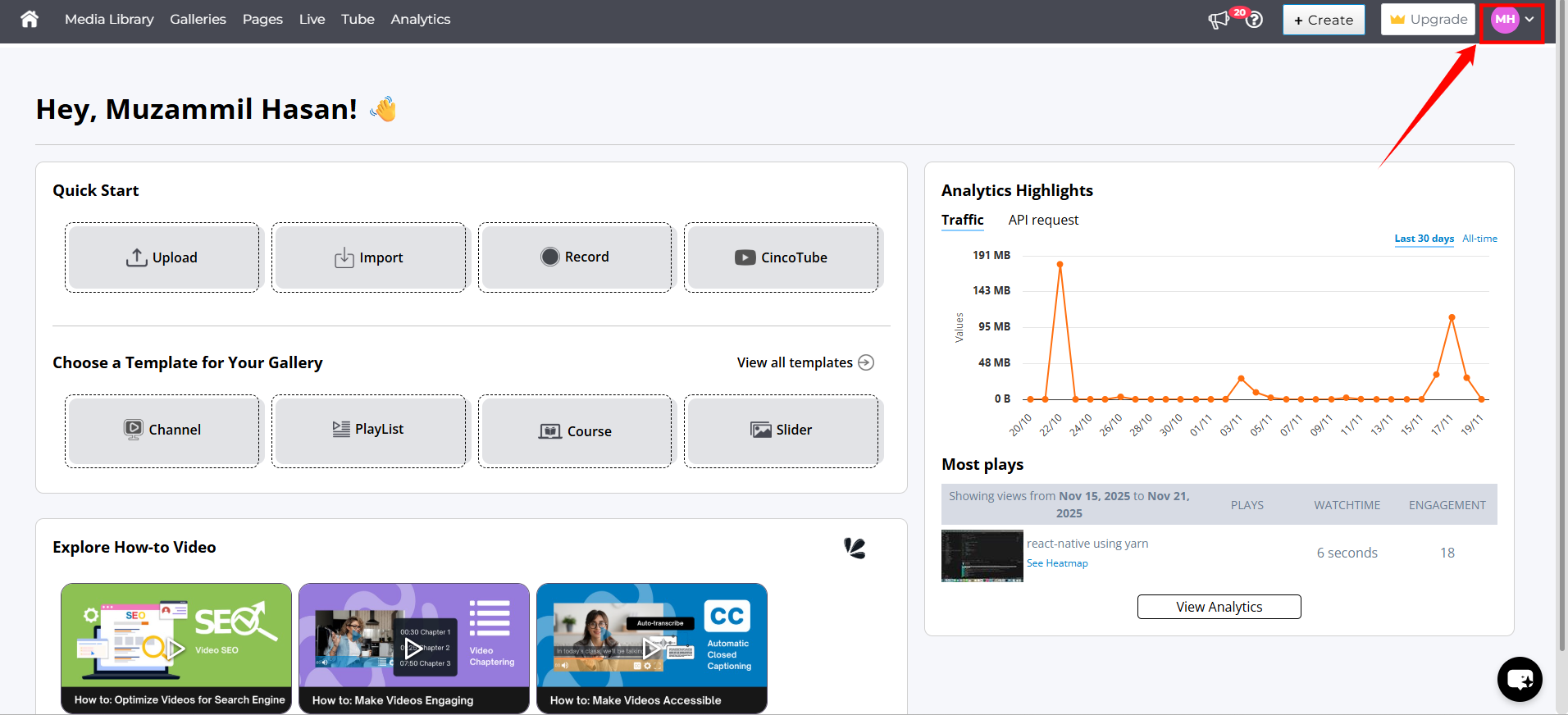
Step 2: From the dropdown, select Account Settings.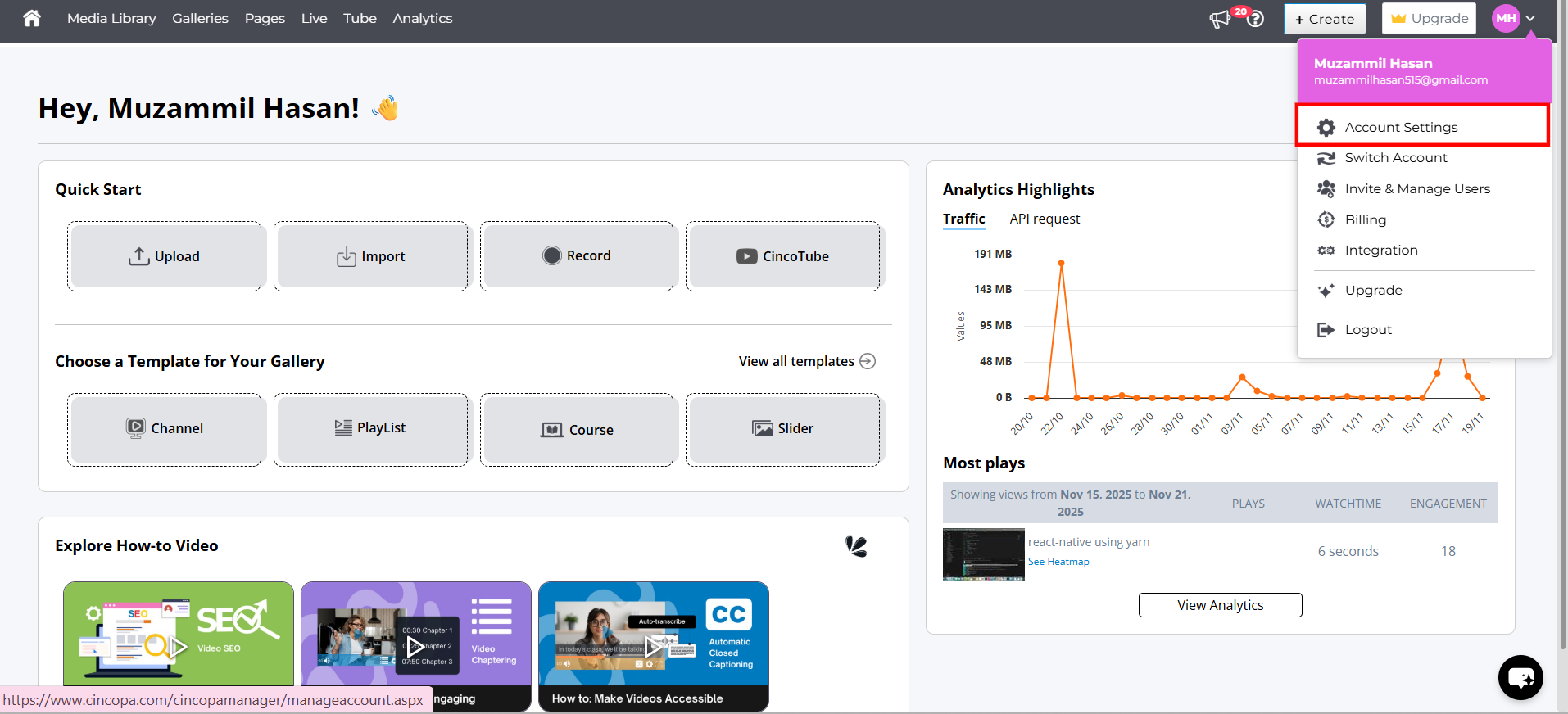
Step 3: In the left menu, navigate to the API Token section.
Step 4: Under API Token, you will see your unique Account ID displayed.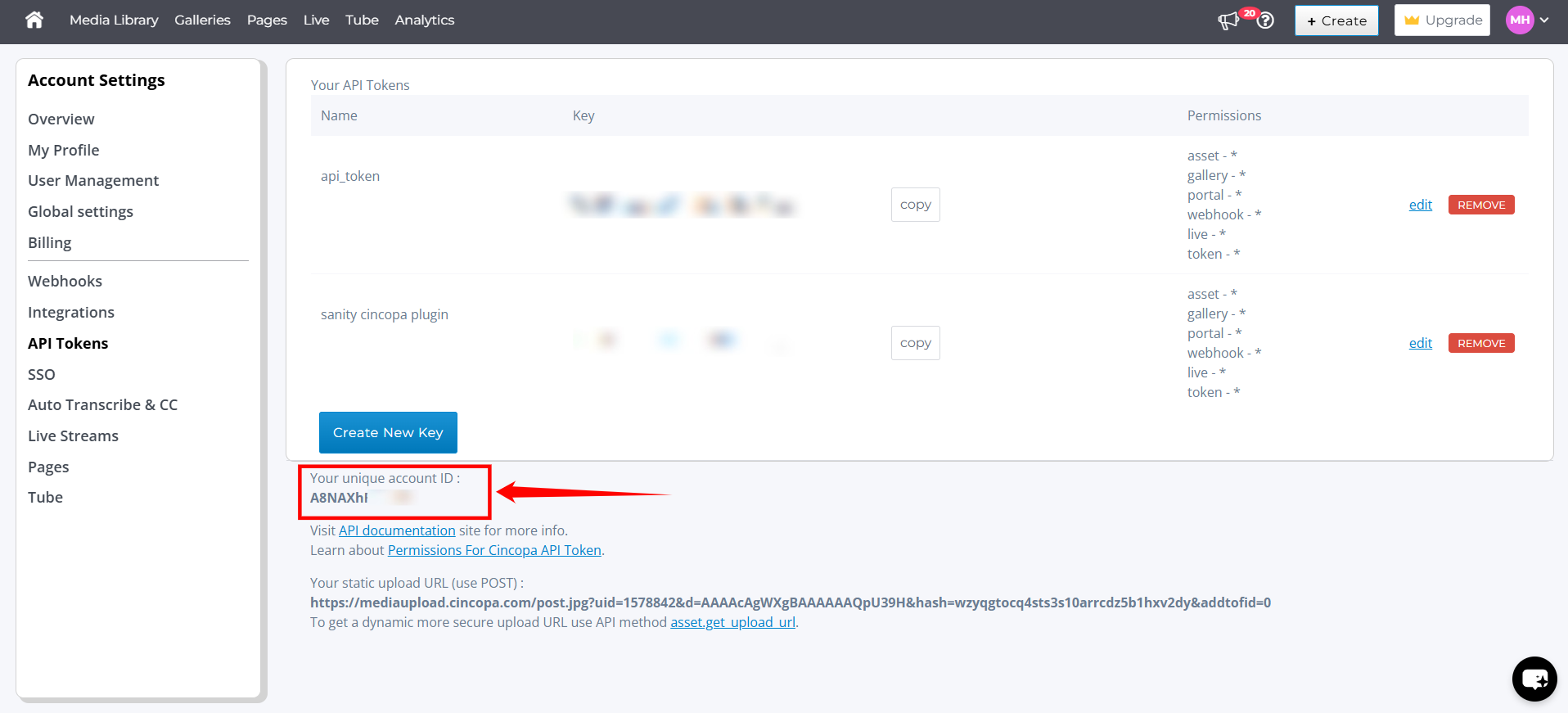
Method 2: Fetch Account ID Using the API
If you prefer to retrieve the Account ID programmatically, you can request it directly through the Cincopa API. After logging in to Cincopa and obtaining your session token, call the following endpoint:
https://api.cincopa.com/v2/ping.json?api\_token=session
This response will include your Account ID along with other account details.
For more information on authentication, parameters, and sample responses, refer to the Cincopa API documentation.